Unified dashboard
Monitor multiple self-hosted services in one Android app instead of opening each vendor dashboard.
Monitor health, alerts, analytics and common administrative actions across your self-hosted infrastructure. HomeLabLink keeps servers, containers, NAS systems, media services, DNS and UPS information in one mobile view.
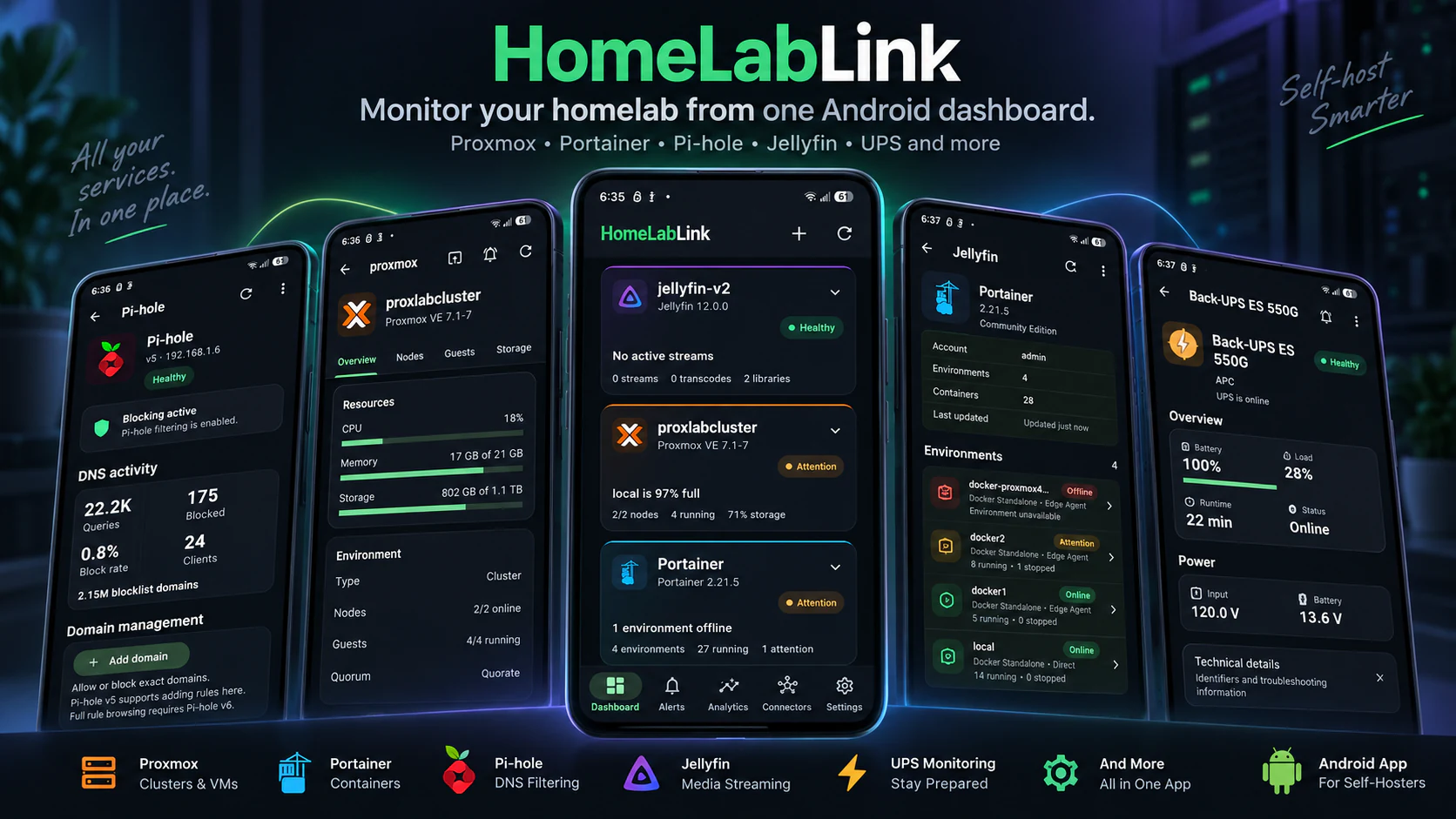
See what is healthy, offline or needs attention across the supported services that keep your homelab running.
Monitor multiple self-hosted services in one Android app instead of opening each vendor dashboard.
Separate connection problems from health warnings and receive meaningful alerts and recovery notifications.
Review incidents, availability context and connector metrics across 24-hour, 7-day and 30-day views.
Handle supported common tasks from your phone, then open the native web UI when deeper configuration is needed.
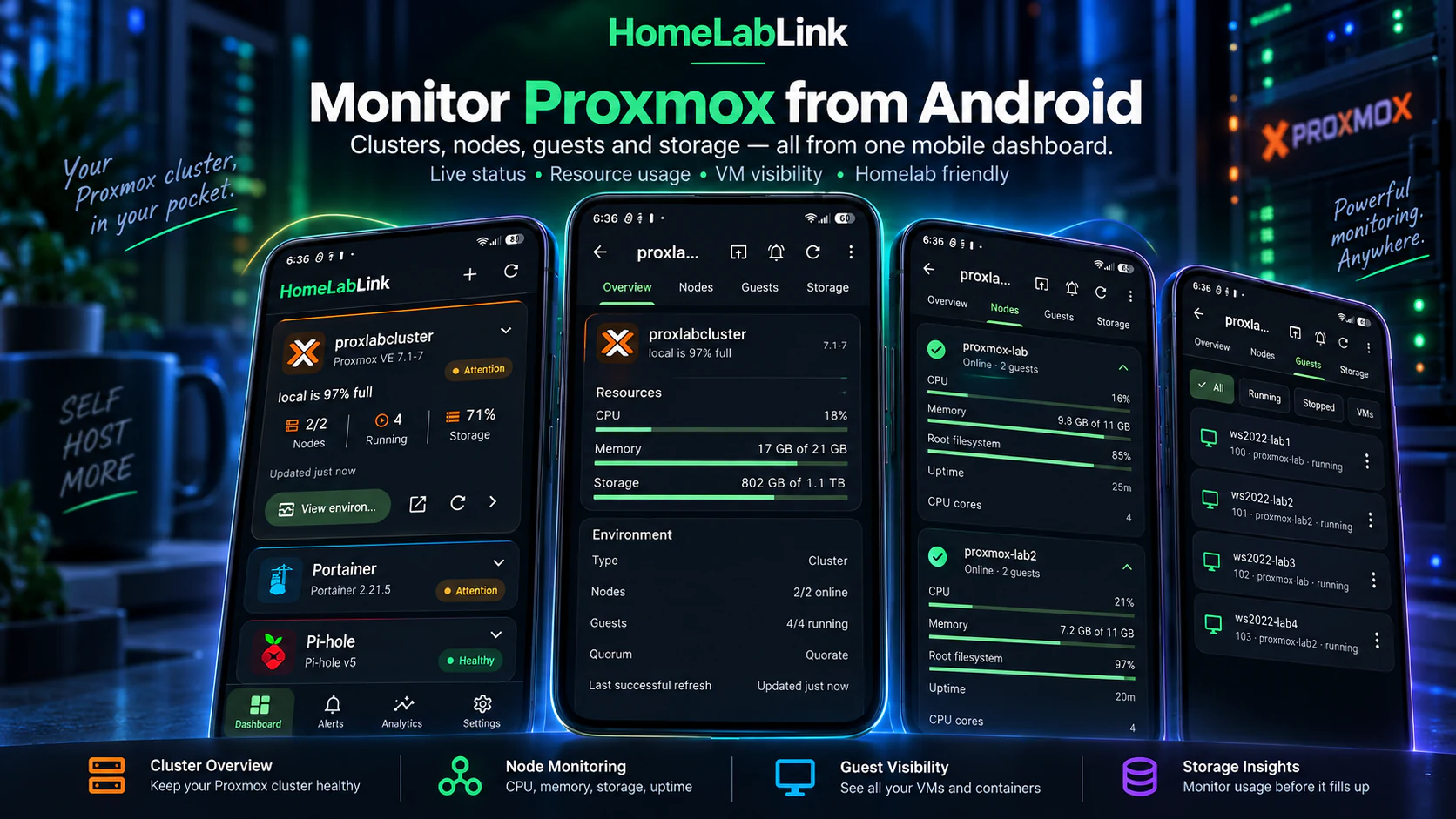
HomeLabLink gives you a fast mobile view into your Proxmox homelab. Check cluster and node status, CPU, memory and storage usage, and see the health and running or stopped state of virtual machines and LXC containers.
As a focused Proxmox Android app and Proxmox mobile dashboard, HomeLabLink makes Proxmox VM monitoring and Proxmox container monitoring easier from a phone. It supports common guest actions, but does not replace the full Proxmox web interface.
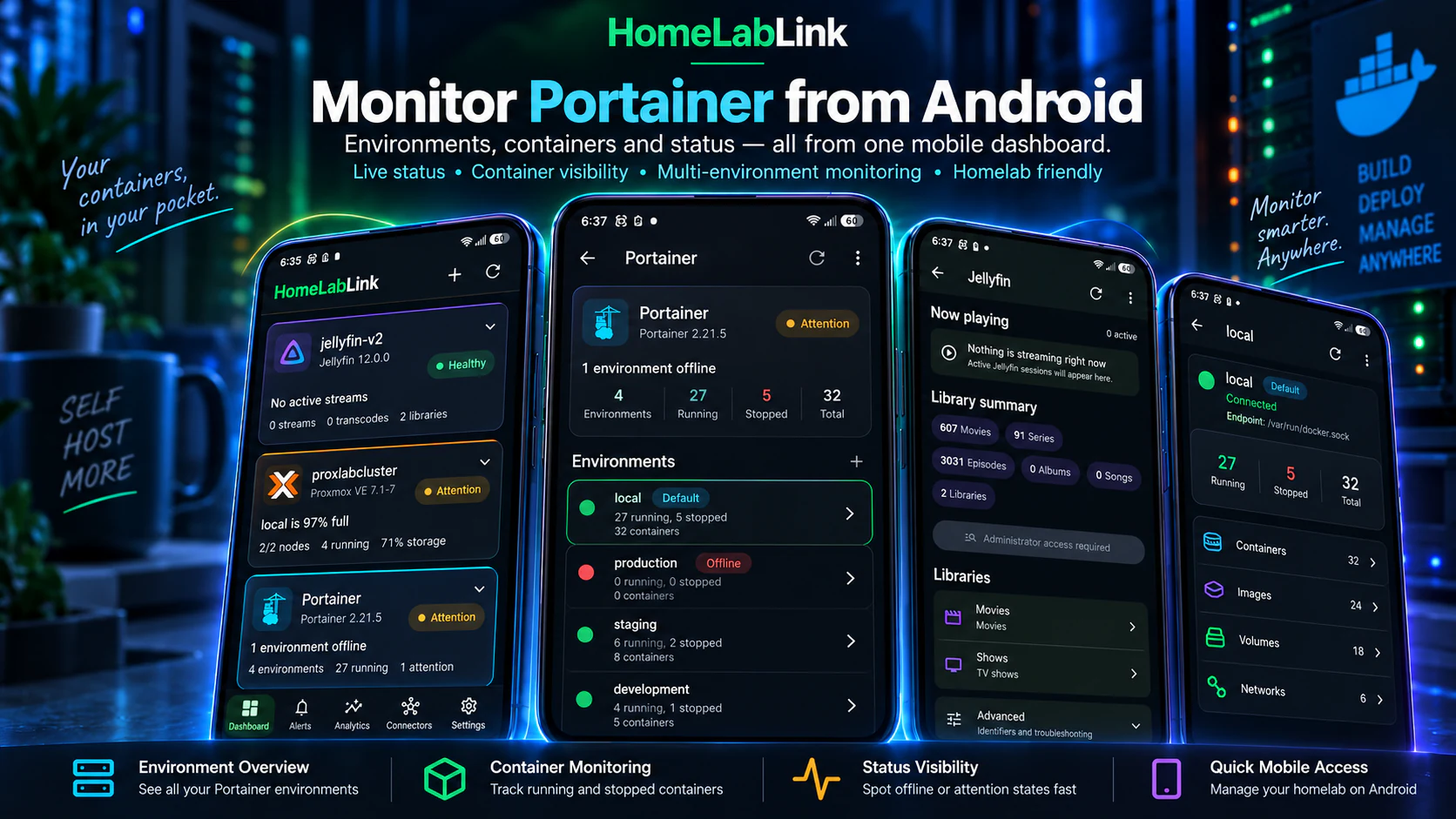
HomeLabLink gives you a mobile view of connected Portainer and Docker environments, including online, offline, health and attention states. Review container counts and individual running or stopped containers alongside image, volume and network information.
For anyone looking for a Portainer Android app or Portainer mobile dashboard, HomeLabLink provides Docker container monitoring on Android and common container actions without requiring the full Portainer web dashboard.
Bring virtualization, containers, storage, media, uptime, DNS and power monitoring into one Android homelab dashboard. Available information depends on each configured service and connector.

Monitor clusters, nodes, virtual machines, LXC containers and resource usage, with common guest controls.
View environments and containers, check status, and perform common container actions.

Review blocking status, query statistics, clients and block rate, with supported blocking and domain controls.

Monitor server health, libraries, active streams and transcoding sessions.

View instance health and entity availability, with supported controls from Android.

Review series, download queue, missing episodes and health, with supported monitoring controls and RSS sync.

Review movies, download queue, missing content and health, with supported monitoring controls and RSS sync.

Monitor Plex Media Server health, libraries, active sessions and transcodes.

View UPS state, battery, load, runtime and power information through Network UPS Tools.

Monitor system health, resources, pools, datasets, apps and VMs, with supported management actions.

Track server health, array status, storage, Docker containers and VMs, with supported management actions.
Know what is unavailable, what is unhealthy and what has recovered without constantly checking individual dashboards.
HomeLabLink separates connectivity from service health, supports alert thresholds and sends recovery notifications when monitored conditions return to normal.
Move beyond current status with 24-hour, 7-day and 30-day history, incident context, availability trends and connector-specific metric history.
Keep important homelab information visible from your home screen for a quicker view of the services you care about.
Discover supported services on your local network or add servers manually when you already know where they are.
Review health changes, incidents and relevant activity together so a warning has useful operational context.
Back up and restore app configuration, with optional encrypted credential backup when you choose to include sensitive connection details.
Use HomeLabLink for quick visibility, alerts and historical context. Pro adds supported remote-management controls for common tasks across compatible connectors.
Start, stop or restart supported Proxmox guests and Portainer containers, use available connector controls, or jump directly to a vendor’s web interface when you need deeper configuration.
HomeLabLink complements native administration tools; it does not try to replace them.
Homelab users and self-hosters often run several independent platforms: Proxmox for virtual machines and LXC containers, Portainer for Docker containers, Pi-hole for DNS filtering, media services, storage servers, uptime monitors and a UPS for power protection.
HomeLabLink brings self-hosted monitoring and useful management controls into a consolidated home server monitoring experience on Android. It is a mobile companion for supported systems you operate—not a hosted service, a replacement for their full administration interfaces, or an official client produced by those third-party projects.
HomeLabLink supports Proxmox, Portainer, Home Assistant, Pi-hole, Jellyfin, Sonarr, Radarr, Plex, Network UPS Tools, TrueNAS and Unraid. Each connector surfaces information relevant to that service, from server health and storage to containers, media activity, DNS statistics and UPS runtime.
HomeLabLink supports common administrative actions for compatible connectors, including guest and container controls. Pro remote-management features are designed for routine tasks; deeper configuration remains available through each service’s native web interface.
Yes. Historical analytics include 24-hour, 7-day and 30-day views, health over time, incidents, availability context and connector-specific metrics where supported.
No. HomeLabLink supports local network discovery as well as manual server entry, giving you control over how connectors are added.
 Android companion for self-hosters
Keep supported virtualization, containers, DNS, media, storage, uptime and UPS information in one HomeLabLink dashboard on Android.
Get HomeLabLink on Google Play